Everything you saved, easy to find again.
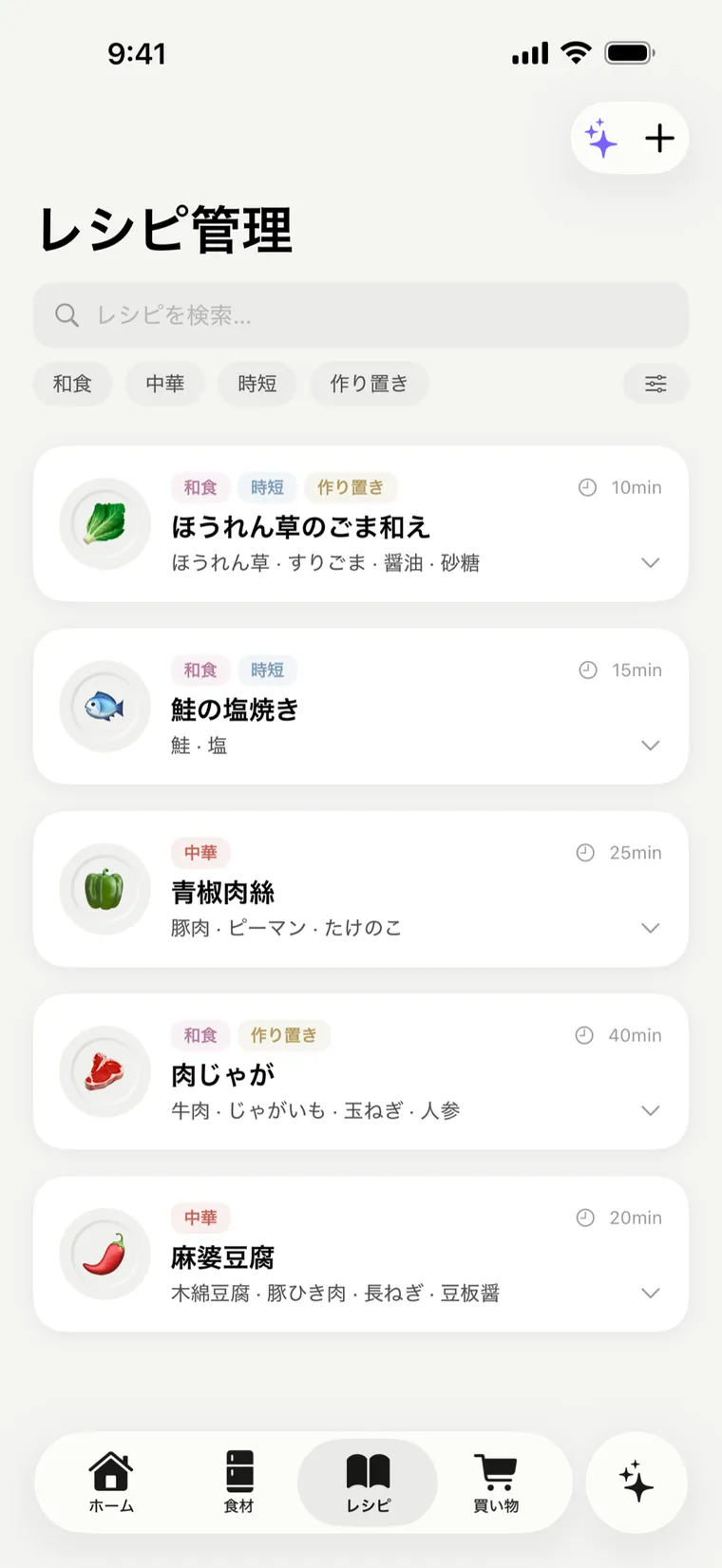
Imported recipes land in a list with cover photos. Tag them — “quick,” “chicken,” whatever fits — and filter down to what you feel like eating. Over 90 starter recipes are built in from day one.
iOS · Food & Drink
Speak it or snap the receipt — your groceries log themselves, expiry dates get watched, and ingredients are deducted after you cook. No manual typing, no account.
No sign-up to start. Free to use — and you can try talk-or-snap input, too.
Home from work, and it’s ‘what do I cook?’ all over again.
That wilted veg in the back of the fridge — tossed it again.
Tracking apps never stick. Typing everything in is a chore.
Panda Basket takes all of that hassle off your hands.
Features
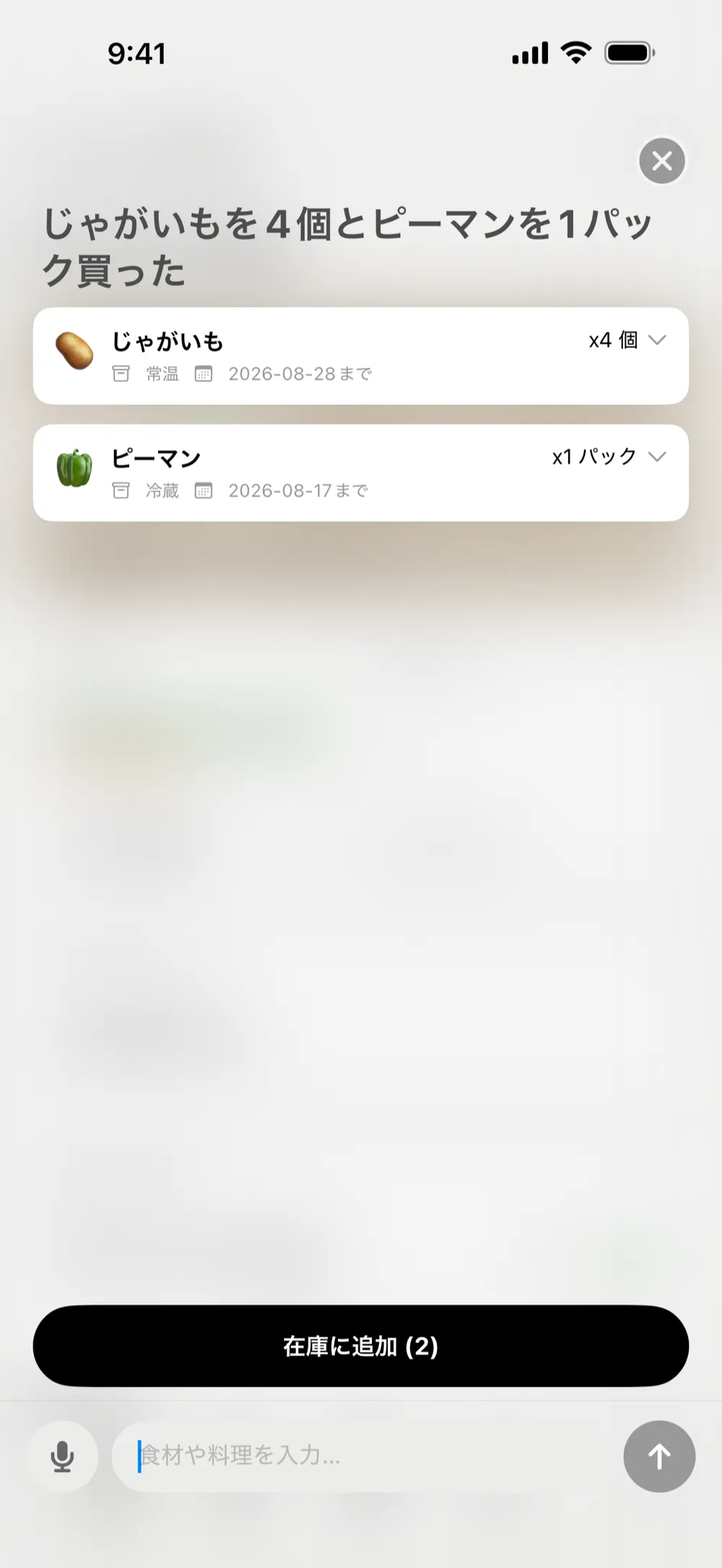
Just say ‘a bunch of spinach, two cartons of milk.’ Or snap the food. Or snap the receipt. The name, quantity, storage, and expiry date get sorted out automatically — straight into your inventory.
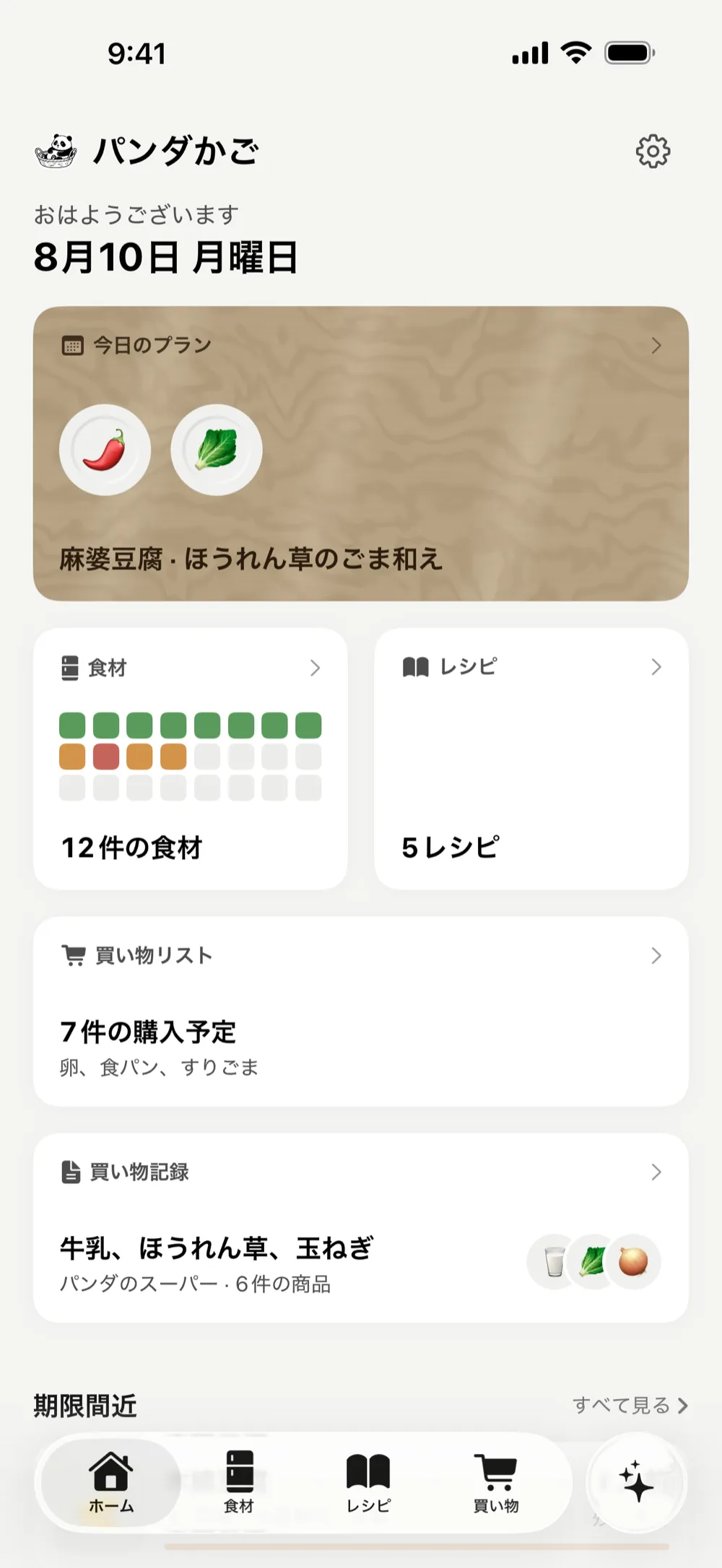
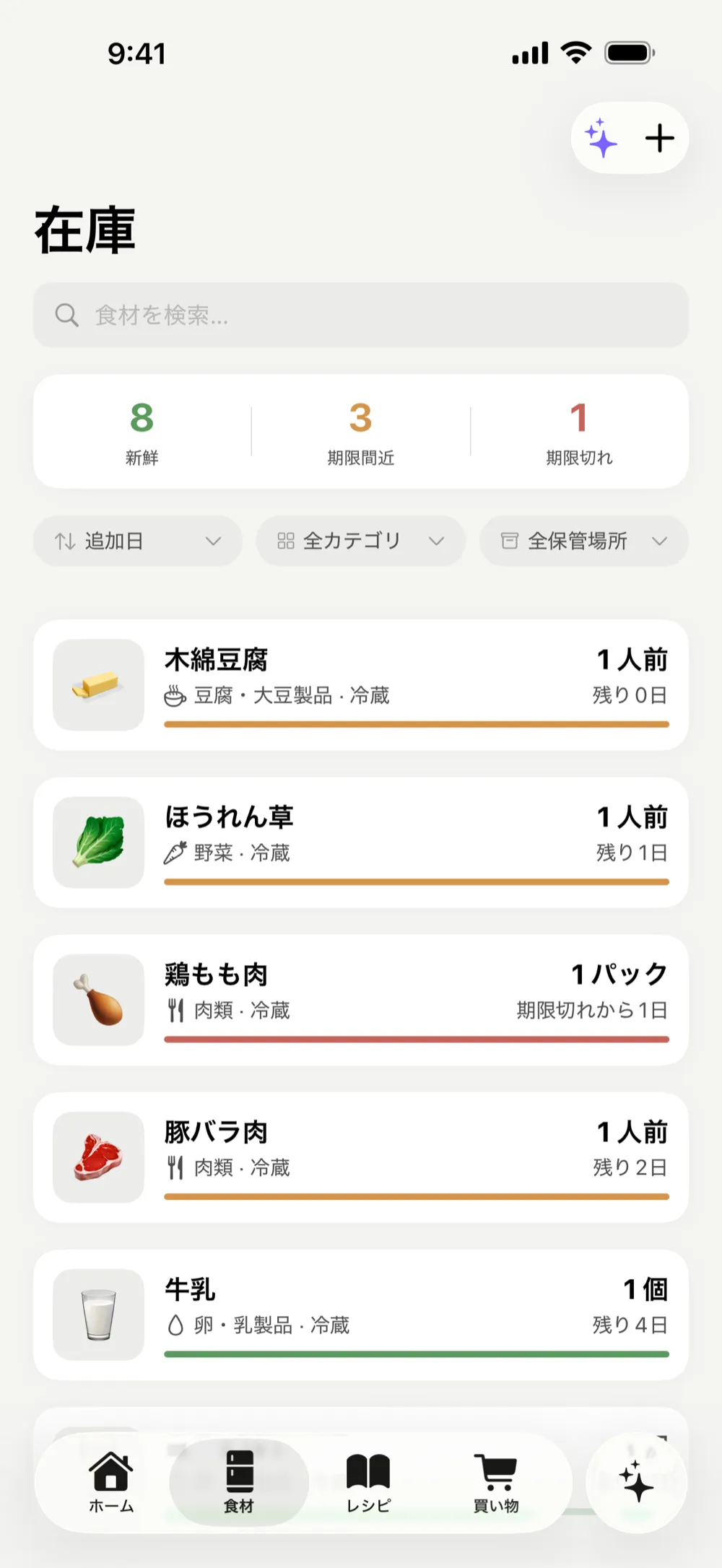
A quiet heads-up before things go off. Fresh, expiring, and expired — colour-coded at a glance. Use it up before you toss it.
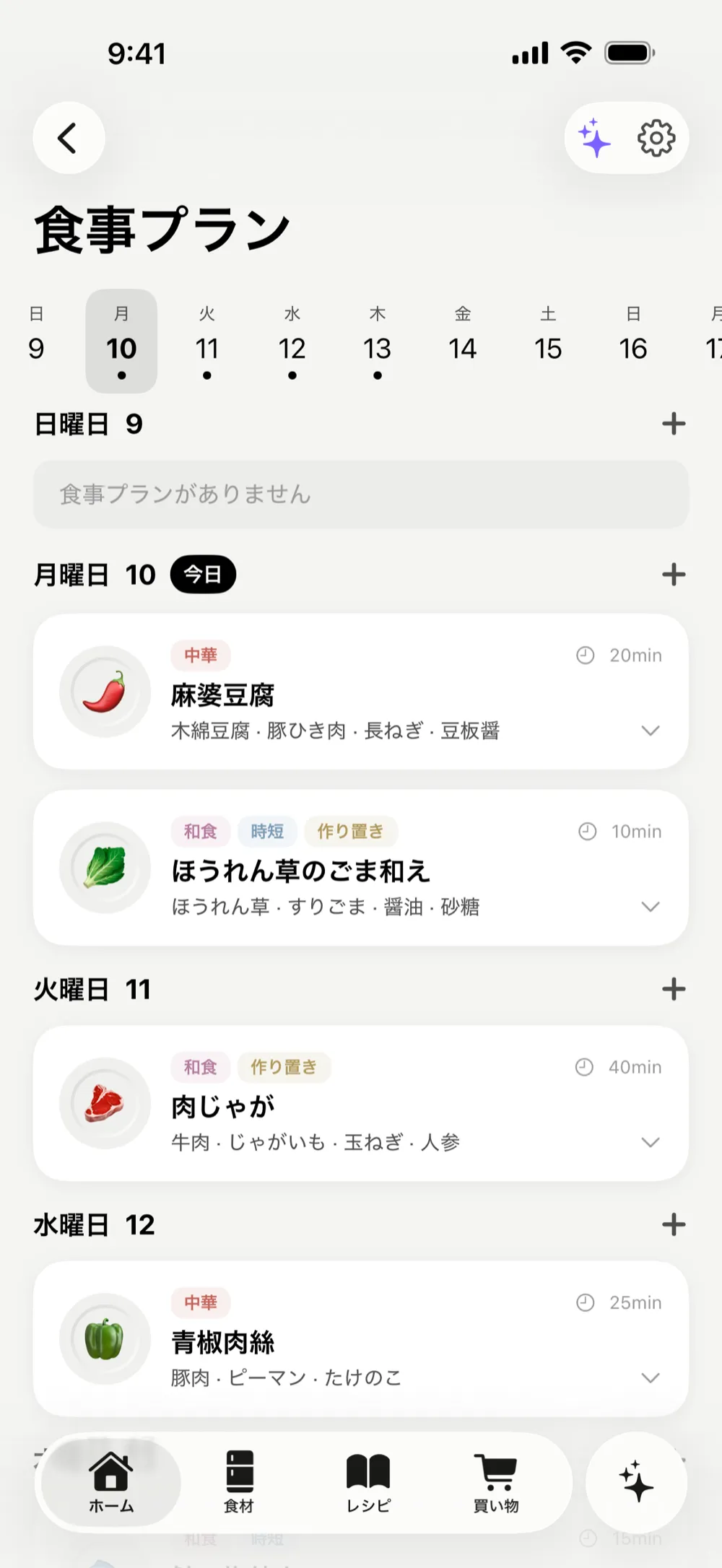
From what’s in your fridge, your tastes, dietary needs, and nutrition, a few days of meals get planned onto your calendar. Deciding takes almost no thought.
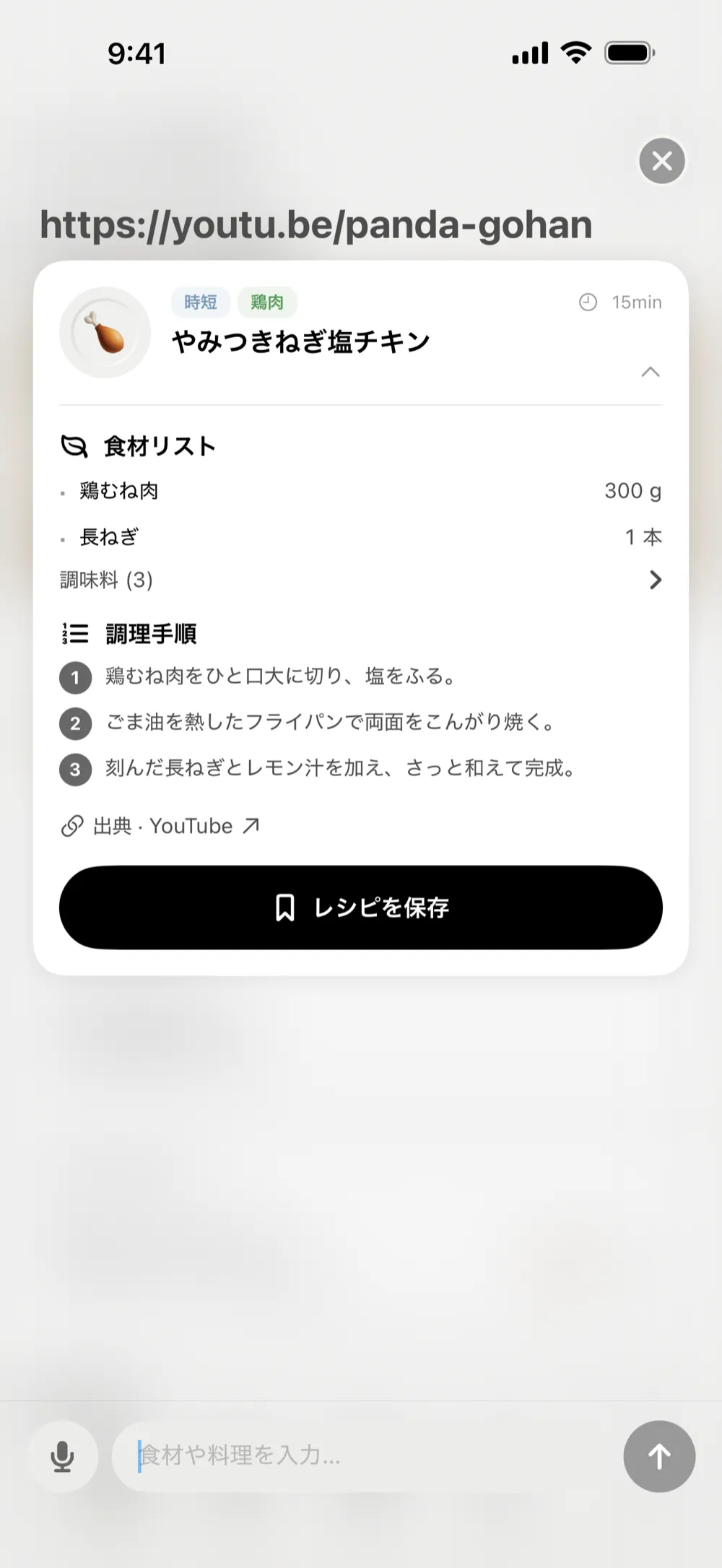
Paste a link from YouTube, Instagram, TikTok, or a recipe site. Or hit Share in Safari or a social app and send it to Panda Basket — the import screen opens right there. Just the ingredients and steps are read and saved to your recipe book.
Imported recipes land in a list with cover photos. Tag them — “quick,” “chicken,” whatever fits — and filter down to what you feel like eating. Over 90 starter recipes are built in from day one.
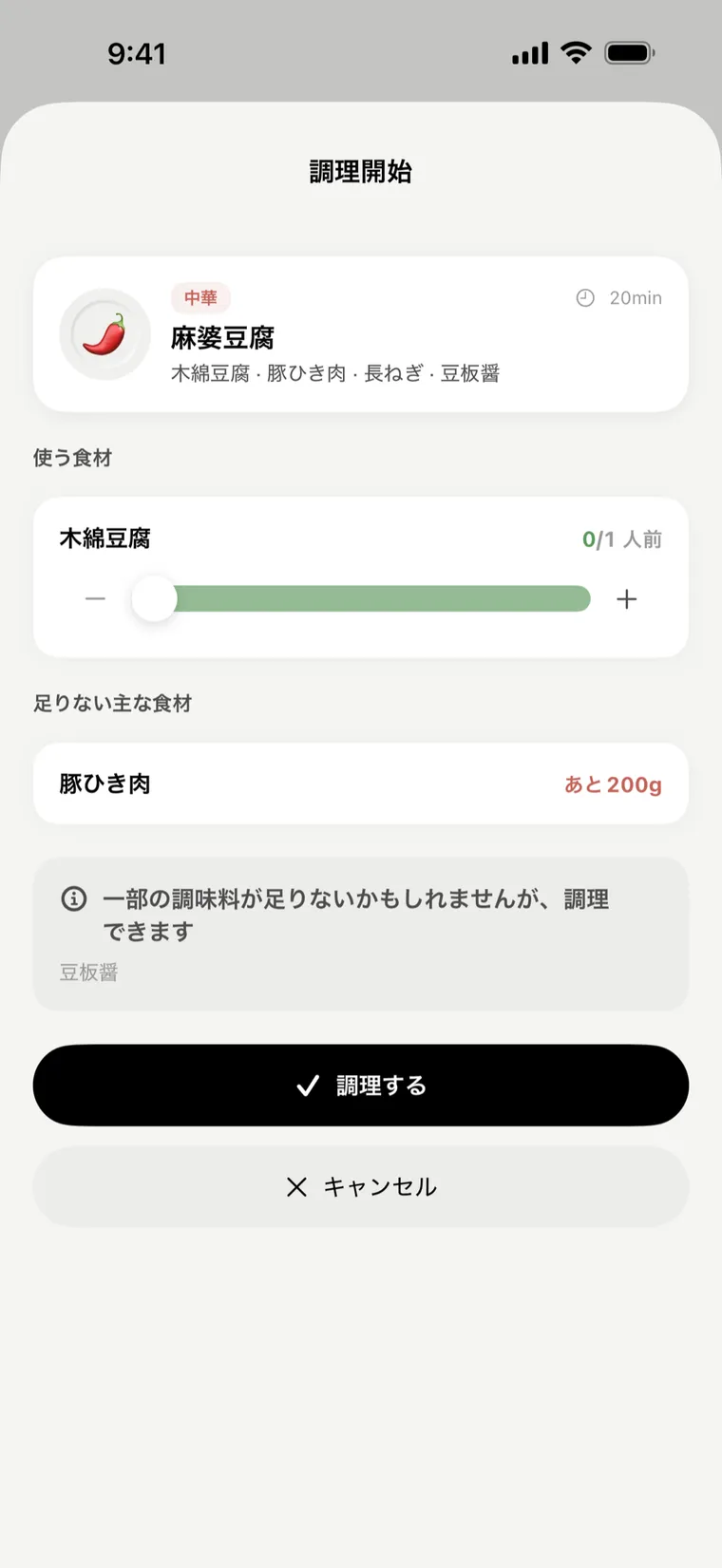
When you’re done cooking, the app matches ‘tomato = tomato,’ converts the units, and deducts from your inventory. No logging required.
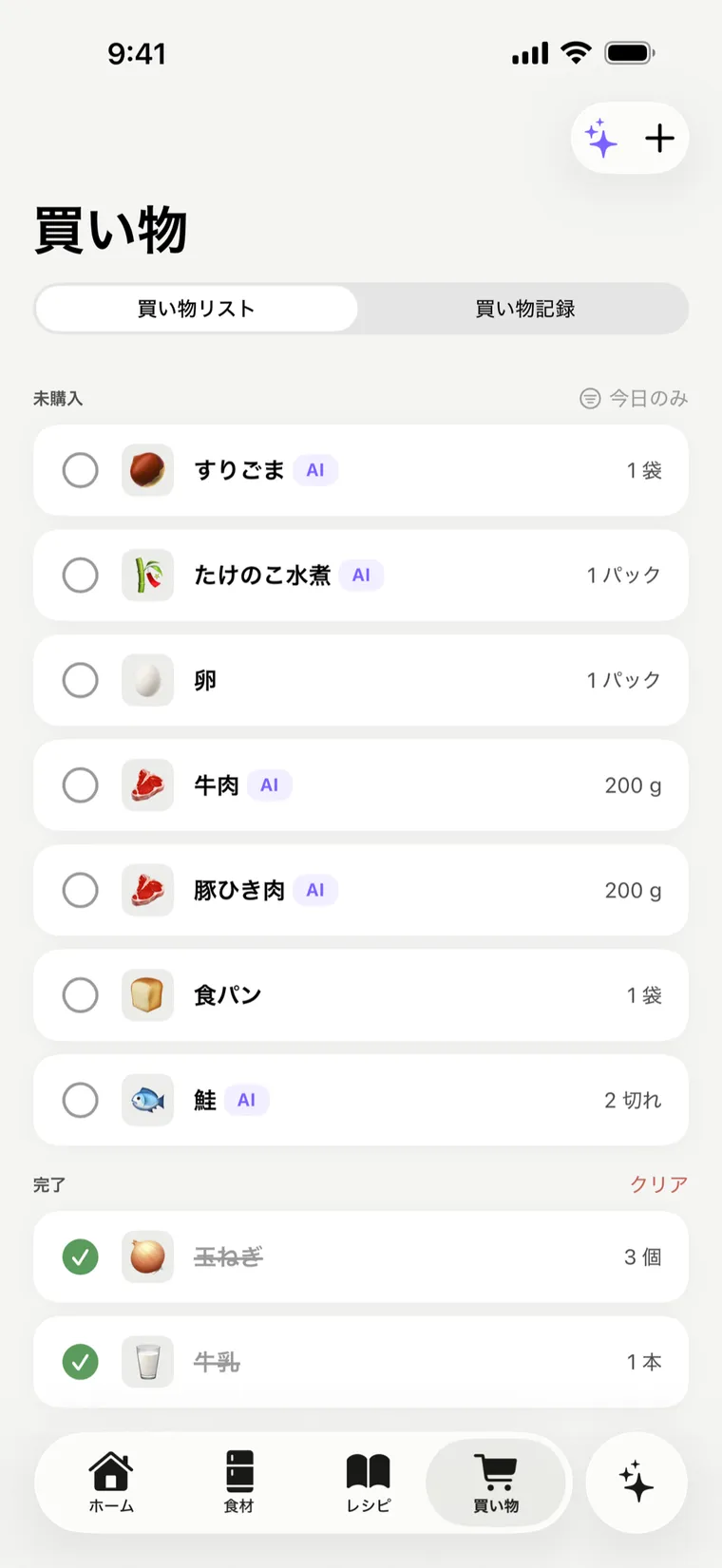
From your stock and meal plan, it suggests what to buy — so you over-buy less and forget less.
Why Panda Basket
Creased, crinkled, faded receipts — Panda Basket reads them anyway. Got something wrong? Fix it in one tap.
No email, no account creation. Open it and talk-or-snap input just works.
Your inventory and history live on your device, and backups go to your own iCloud. We don’t keep your food records on a server.
Switch between Japanese, English, and Simplified or Traditional Chinese instantly. Dark mode goes pure-black OLED.
Snap the receipt and my inventory just builds itself. That frozen ‘what do I cook’ moment is basically gone.
I’m clearly throwing out way less spoiled veg.
Logging by just talking is genuinely effortless — somehow this is the one app that stuck.
App Store rating · Food & Drink ranking · press coverage (added once available)
Pricing
Get started free
$47.88 per year · ≈ $3.99/mo · save 20%
Get started free Try Pro free for 1 monthFAQ
Manual inventory, expiry, alerts, and shopping list are free forever. You also get 5 free AI tries — usable on any AI feature.
No. Open it and start.
On your iPhone and in your own iCloud — nowhere else. Your food records never touch our servers.
Restore from your iCloud backup. The backup lives in your own iCloud, so it never passes through our servers.
For now, Panda Basket works on a single iPhone. Moving to a new one? Restore from your iCloud backup.
Fix it in one tap. The scan assists your input — it doesn’t lock it in.
Over 90 starter recipes are built in. Found one on YouTube, social media, or a recipe site? Paste the link — or hit Share and send it to Panda Basket — and the ingredients and steps come straight in. Tag them to keep the book tidy.
Up to 300 uses a month (of which 60 can be video or image reads from links), resetting automatically each month. Everyday home cooking rarely comes close.
Japanese, English, and Simplified & Traditional Chinese — switch anytime inside the app.
Yes, anytime via the App Store. The first month is free.
Install, then just ‘say’ your first ingredient.
1 month free
No sign-up to start. Free to use — and you can try talk-or-snap input, too.